Client-Side EXIF Viewers: Why Your Privacy Matters When Viewing Photo Metadata
In today's digital world, we share and analyze images every day. From professional photographers studying camera settings to casual users checking a photo's location, EXIF data provides a treasure trove of information. But have you ever stopped to ask: Where does my photo go when I use an online EXIF viewer?
Most online tools require you to upload your images to their servers. This simple act can expose your private photos and their hidden metadata to unknown third parties, creating a digital footprint you never intended. This article explores the critical difference between server-based and client-side EXIF viewers. Understanding this distinction is the key to protecting your privacy while still unlocking the secrets your images hold. For a completely secure way to analyze your photos, you can view EXIF data without ever uploading a file.
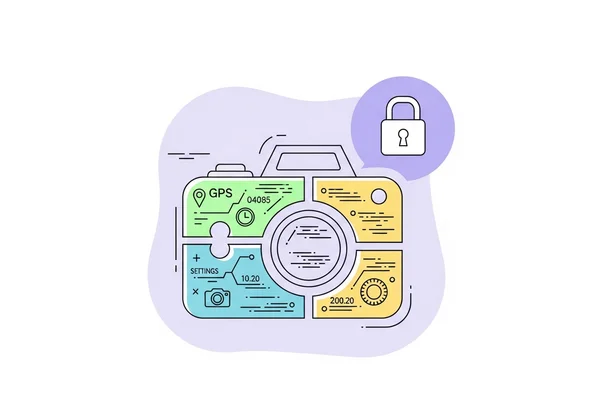
The Hidden Risks of Server-Based EXIF Tools
When a tool is "server-based," it means your data has to travel from your computer to another computer (a server) over the internet to be processed. While convenient, this model introduces significant and often overlooked privacy risks.
How Traditional EXIF Viewers Process Your Data
The typical workflow for a server-based EXIF viewer is straightforward but risky. First, you select a photo from your device and click "upload." The image file, along with all its embedded metadata, is then sent across the internet to the company's server. Once there, their software reads the file, extracts the EXIF data, and sends the results back to your browser to be displayed.
The problem lies in what happens on that server. Does the company store your photo? For how long? Who has access to it? The terms of service are often vague, leaving your personal and potentially sensitive images in a state of digital limbo.
Real-World Cases of Photo Metadata Privacy Breaches
History is filled with examples of how exposed photo metadata has led to serious privacy violations. Journalists have been tracked by hostile actors through location data left in photos. Individuals selling items online have inadvertently revealed their home addresses from pictures of the products. Even seemingly harmless photos can contain GPS coordinates that, when collected over time, can map out a person's entire daily routine.
When you upload a photo to an unknown server, you lose control. A security breach at that company could expose not just one photo, but thousands of images from countless users, creating a massive privacy disaster.
The Data Trail You Didn't Know You Were Creating
Every time you upload a file to a server-based service, you create a data point. The service may log your IP address, the time of the upload, and the file's metadata. They might even use your images to train their own AI models or sell anonymized data to marketers. You are essentially trading your privacy for a moment of convenience.
This invisible data trail can be pieced together to build a detailed profile about you, your habits, and your location history. That's why the safest approach is to prevent this trail from being created in the first place by using tools that don't require uploads. You can check your photo's data securely right now.
How Client-Side EXIF Processing Works
A far more secure alternative exists: client-side processing. The "client" is simply your own web browser (like Chrome, Firefox, or Safari). Client-side tools perform all their magic directly on your computer, meaning your files never leave your device.
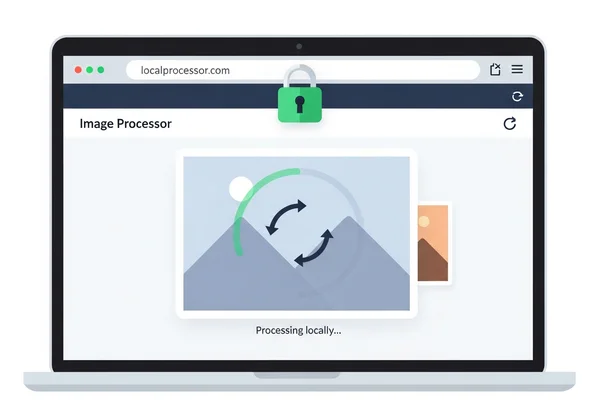
Explaining Browser-Based Metadata Extraction
Modern web browsers are incredibly powerful. Technologies like JavaScript allow a website to instruct your browser to open and read a file you select locally. When you use a client-side tool like ExifReader.org, you aren't uploading anything. You're simply giving your own browser permission to analyze the file.
The process is instant and entirely private. The browser reads the metadata and displays it on the webpage. The website's server is never involved in the processing and never sees your image. It’s the digital equivalent of reading a document on your own desk instead of mailing it to someone else to read for you.
The Technology Behind Zero-Upload Privacy Tools
The core technology that enables this privacy is the File API, a standard feature in all modern browsers. It allows web applications to interact with files on your local machine in a secure, sandboxed environment. The website can't access any files without your explicit action, like dragging and dropping a file or selecting it through a file picker.
This "zero-upload" model is the gold standard for privacy-focused web tools. It eliminates the risks of data interception during transit and unauthorized access on a remote server. When a tool proudly states it works on the client-side, it's a strong signal that it was built with your security as the top priority.
What Information Can (and Cannot) Be Accessed Locally
A well-designed client-side EXIF viewer can access the exact same metadata as a server-based one. This includes:
- Camera Settings: Shutter speed, aperture, ISO, focal length, and camera model.
- Location Data: GPS coordinates, altitude, and direction.
- Time Stamps: Date and time the photo was taken and modified.
- Copyright Information: IPTC data containing creator and copyright details.
Because the processing happens in your browser, the tool has no inherent limitations on the data it can read from the file you provide. The only thing it cannot do is see or access any other files on your computer, ensuring both the privacy of your selected photo and the security of your entire device.
Privacy-First EXIF Analysis in Practice
Adopting a privacy-first mindset isn't just for security experts; it's a practical step for anyone who handles digital images. From professionals protecting client work to individuals safeguarding personal memories, choosing the right tool has real-world benefits.
Professional Workflows That Prioritize Privacy
For many professionals, data privacy is non-negotiable.
-
Photographers: When working with unreleased photos for a client, uploading them to a random third-party server is a serious contractual and reputational risk. A client-side tool like ExifReader.org allows them to check technical data without ever exposing the valuable intellectual property.
-
Journalists and Researchers: Verifying the authenticity of a photo often involves scrutinizing its metadata. A secure, client-side viewer ensures that this sensitive investigative work remains confidential and that the source of the image is protected.
-
Social Media Managers: Before posting on behalf of a brand, managers must ensure no private location data is accidentally embedded in a photo. A quick, local check prevents embarrassing and potentially dangerous privacy leaks.
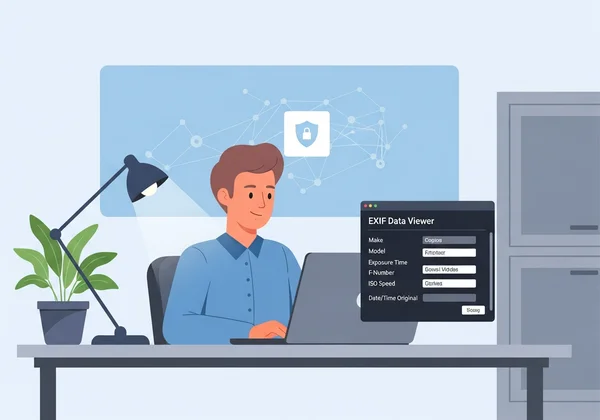
Case Studies: When Privacy Saved the Day
Consider a real estate agent who takes photos of a high-value property. Before listing them online, they use a client-side tool to confirm all GPS data has been scrubbed. This prevents potential thieves from finding the exact location of the empty, valuable home.
Or think about an activist sharing photos from a protest. By using a secure viewer to check metadata before sharing, they can ensure their location and the identities of others are not inadvertently compromised. These aren't extreme edge cases; they are everyday examples where a simple choice of tool makes a world of difference.
Industry Standards for Secure Photo Metadata Analysis
Modern privacy regulations like GDPR all follow one important principle: data minimization—only process what's absolutely necessary. This principle states that you should only process the data that is absolutely necessary. Server-based tools inherently violate this by moving your entire file when only the metadata is needed.
Client-side processing aligns perfectly with this standard. By keeping the file local, it minimizes data exposure to zero. For any organization or individual serious about data security, choosing tools that operate locally isn't just a preference; it's a best practice. You can follow this best practice by using a secure online tool.
Your Metadata, Your Rules: Choosing the Right EXIF Tool
Your photos capture moments that matter—whether they're precious memories, professional milestones, or private moments you want to protect. The metadata within them is a powerful extension of that story, but it deserves to be accessed on your terms.
The choice between server-based and client-side EXIF viewers really comes down to one thing: your privacy. Server-based tools create unnecessary risks by forcing you to send your files across the internet to unknown systems. In contrast, client-side tools empower you by performing all analysis directly and safely within your own browser.
The next time you need to look "under the hood" of an image, don't compromise your security for convenience. Choose a tool that respects your data and puts your privacy first.
Ready to see what's hidden in your photos without sacrificing your privacy? Head over to ExifReader.org to instantly and securely analyze your image metadata right in your browser. No uploads, no risks, just answers.
Common Questions About EXIF Viewer Privacy
Are online EXIF readers safe to use?
It depends entirely on their architecture. Client-side readers that process files in your browser, like ExifReader.org, are extremely safe because your photos never leave your computer. Server-based readers that require you to upload your files carry inherent privacy risks, as you lose control over your data.
How does client-side EXIF reading work?
Client-side tools use modern browser technologies like JavaScript to read the file you select directly from your device's memory. The code to extract and display the metadata runs locally, so your image and its data are never transmitted over the internet to a server. You can try our free tool to see it in action.
Can all metadata be viewed without uploading photos?
Yes. A well-built client-side EXIF viewer can read all the same metadata as a server-based one, including camera settings (EXIF), location data (GPS), and descriptive information (IPTC/XMP). There is no loss of functionality, only a massive gain in security.
What happens to my photos when I use an online EXIF viewer?
With a client-side viewer, nothing happens to your photos—they stay securely on your device. With a server-based viewer, your photo is sent to a remote server. What happens there depends on the company's privacy policy; it could be deleted immediately, stored temporarily, or even kept indefinitely.
Are there any limitations to privacy-focused EXIF tools?
The primary benefit of privacy-focused, client-side tools is their security model. Functionally, they are just as capable of reading comprehensive metadata as their server-based counterparts. The only "limitation" is that they require a modern web browser to run, which is standard for nearly all internet users today.