Why EXIF Results Look Incomplete
The empty feeling is familiar. One upload shows a rich metadata list, while the next image surfaces only a timestamp, a size, or almost nothing at all.
That does not automatically mean the reader failed. In many cases, the short result reflects the file that was uploaded, the format it uses, or the workflow that touched it before it reached the browser. A quick online EXIF reader can only display what survives inside that version of the image.
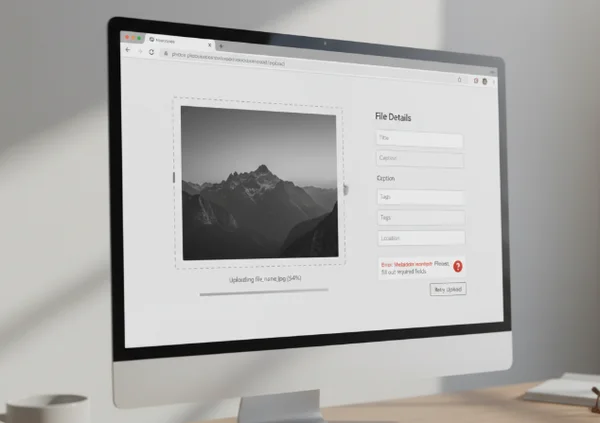
Why sparse results often come from the file itself
The first rule is simple. A metadata viewer cannot reveal fields that are not actually embedded in the file.
The [Library of Congress EXIF family overview] says the Exif family can include camera settings, technical image data, date and time information, geographic data, copyright details, and thumbnails. That is at least 6 broad categories of embedded information. But not every image carries all of them.
An original camera photo may have a deeper field set because it was created by a device that writes capture data at the moment of shooting. A cropped export, a screenshot, or a compressed share copy may arrive with much less.
A short panel is not always a bad sign
Sometimes sparse output is normal. If the file never contained GPS data, lens data, or a camera model, the reader is not hiding anything. It is simply showing the smaller metadata footprint that the file actually has.
File history matters
Readers often compare 2 images as if they were equivalent, even when one is the original and the other is a later export. That is where confusion begins. Metadata richness depends not only on the subject of the photo, but also on what the file has been through.
Why JPEG, PNG, and HEIF uploads can look different
Formats set expectations. They do not guarantee that every file will expose the same kind of metadata.
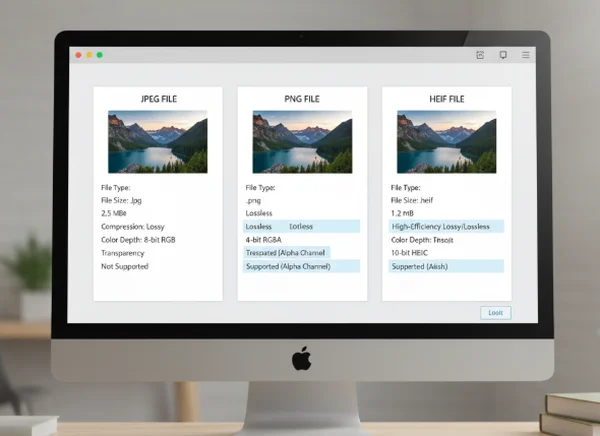
JPEG-style photos often feel more familiar
Many users expect a fuller result when they upload a camera-native JPEG or a phone image saved close to the original capture. Those files are often the easiest place to find the camera, the timestamp, and sometimes the location data that people associate with EXIF.
PNG often follows a different metadata path
PNG metadata often looks different. The [Library of Congress PNG format page] notes that PNG supports labeled text chunks such as Title, Author, Description, Copyright, Creation Time, Software, Disclaimer, Warning, Source, and Comment. That is a very different expectation from a straightforward camera-native EXIF block.
The same page also says XMP metadata can be embedded in PNG files, but practices for storing XMP or EXIF metadata in PNG images have not been consistent. So a PNG can be rich in metadata, sparse, or shaped by software-specific habits. That is one reason a screenshot, exported graphic, or edited web asset may look thinner in the reader than an original phone photo.
HEIF can be rich but still uneven in practice
The [Library of Congress HEIF format page] says the HEIF specification supports metadata in Exif, XMP, and MPEG-7 XML. That is 3 different metadata schemes inside one modern container. The same page also notes that HEIF-compliant readers do not need to support those metadata formats. So partial results are not always proof that the file is empty.
Common reasons metadata fields disappear before upload
Workflows remove detail. A short result is often the end of a chain, not the start of one.
The file was exported or simplified
Many apps create a new file when they export, resize, or optimize an image. In that process, some metadata may be preserved, some may be rewritten, and some may disappear altogether. The result is a valid image with a smaller metadata footprint.
The image was never camera-native
Screenshots, design assets, scanned graphics, and downloaded memes often were not born as ordinary camera photos. That means they may never have carried the camera settings, lens information, or location fields that people expect when they hear the term EXIF.
Privacy steps may have stripped fields on purpose
A photo can also lose fields because another tool or platform intentionally removed them. That is common when privacy-sensitive data such as GPS coordinates or device details are considered unnecessary for sharing.
How to read a short metadata panel more accurately
Slow down first. Sparse output becomes easier to interpret when the questions get more precise.

Check the file type before judging the result
If the upload is a JPEG from a phone camera, a short panel may mean metadata was stripped along the way. If it is a PNG screenshot or a graphic export, a shorter panel may be completely normal. The browser-based metadata reader is most useful when it is paired with a basic check of the file type and origin.
Ask whether the file is original or already processed
This question changes the answer. An image copied from chat, saved from social media, or exported from an editor is not the same as the original capture file. A reader can only inspect the file in front of it, not the version that existed earlier in the chain.
Look for patterns, not just missing labels
If timestamps remain but GPS is gone, privacy stripping may be part of the story. If only dimensions and file dates remain, the image may be a later derivative rather than the original camera file. If a modern container shows only part of what you expected, remember that support can vary by format and by metadata scheme.
When a sparse result needs expert review instead of guesses
Most of the time, this is a workflow question. Sometimes it becomes something more serious.
If the goal is everyday organization, a short panel usually just means the file is limited. If the goal is proving authenticity, authorship, or evidence handling, a sparse result should not be over-interpreted. Missing fields are not automatic proof of editing, and a present field is not automatic proof of truth.
Disclaimer: This article is for educational purposes only and does not provide forensic certification, legal advice, or authenticity guarantees. If the stakes are legal, investigative, or contractual, seek professional help from a qualified forensic or legal expert instead of relying on one metadata panel.
What to remember
Ask what kind of file you uploaded. An EXIF reader can only show the metadata that survived into that version of the image. When results look incomplete, the most common explanation is not that the tool is hiding data. It is that the format, the export path, or the sharing workflow changed what was left to read.